
Seth Meyers at SNHU Arena

On August 7, we were back at SNHU Arena in Manchester, NH, providing production for an evening of stand-up comedy with Seth Meyers.
Compared with some of the larger arena productions we work on, this was a relatively straightforward show—but putting comedy in an arena still takes plenty of infrastructure. We provided the complete audio system, lighting and truss, and a four-camera IMAG system feeding two large projection screens on either side of the stage.
Building the PA

Audio was a big part of this build. With an arena full of seats to cover, we brought in a flown NEXO STM system rather than relying on the venue for reinforcement.
The two main arrays each used three NEXO STM B112 modules and six STM M28s. Two additional side arrays, each with five M28s, helped extend coverage to the sides of the room.
On the floor, four STM S118 subs were split with two on each side of the stage. NEXO P12s provided additional fill coverage, while P8s handled stage monitoring.
It gave us plenty of control over where the sound went and, more importantly for a comedy show, kept speech clear throughout the room. There isn't a huge band competing for attention here—the audience needs to hear every word.
FOH was built around a Yamaha DM3-D with Dante and Yamaha Rio I/O connecting the stage and mix position. Shure ULX-D wireless handled the primary microphones.
IMAG for the Rest of the Room

Even when you're sitting halfway across an arena, you still want to see the facial expressions that go along with the joke.
We provided two large, flown AV Stumpfl projection screens with Christie 4K22-HS projectors. Rather than placing the projectors on the floor or somewhere in the seating area, each was flown from its own short section of truss alongside the main lighting system.
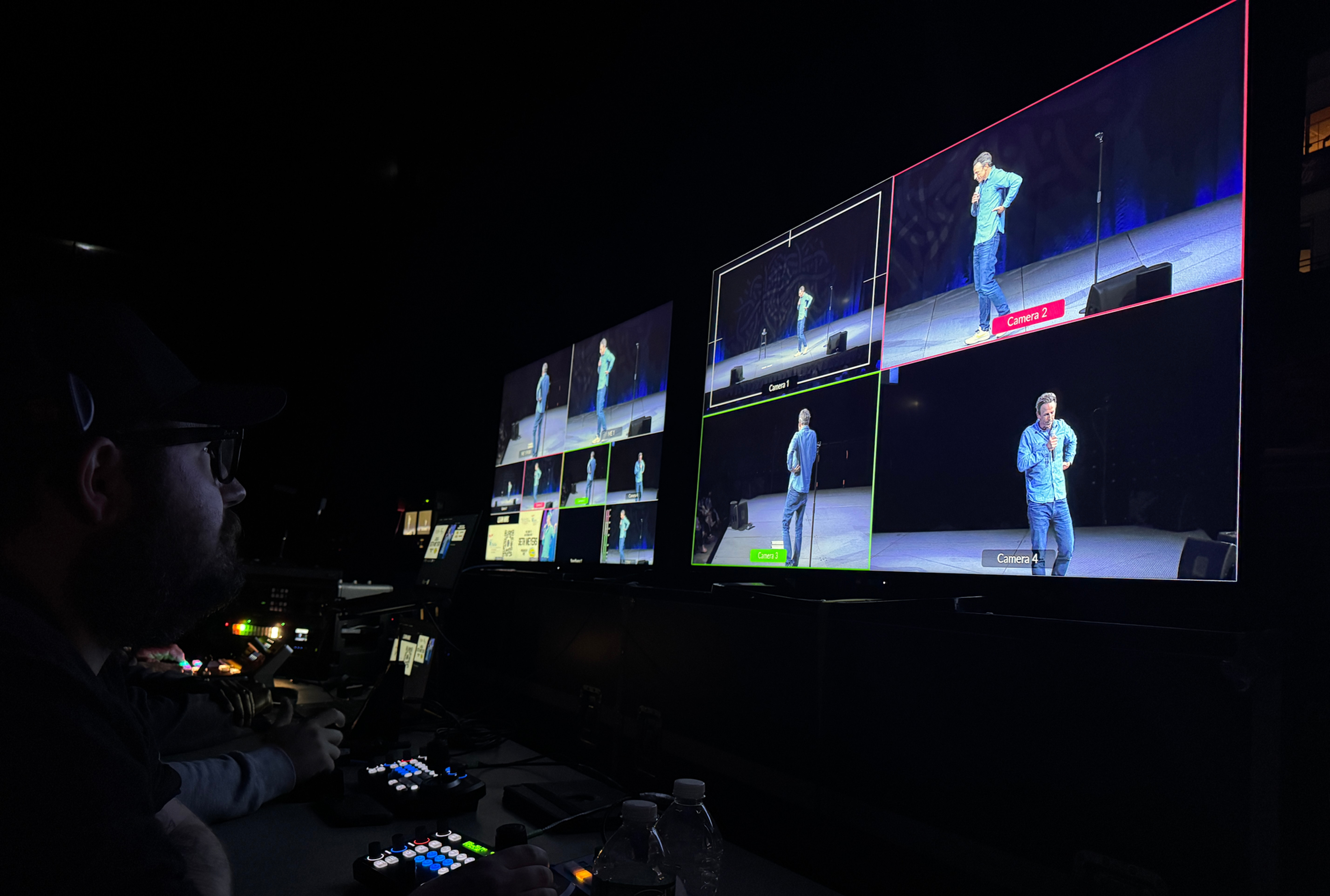
Four PTZ cameras covered the stage, with switching handled on a Blackmagic ATEM Constellation. The setup gave us multiple angles without putting camera operators or large camera positions throughout the audience.
Color correction and camera matching were handled as part of the video workflow before the finished IMAG feed went to the two screens.
Lighting the Stage
Two larger trusses—one in front of the stage and one behind—gave us the main lighting positions, with additional shorter trusses supporting the projection system.
The lighting package combined moving washes, ETC ColorSource fixtures, and LED battens to cover the stage, add some color and texture, and provide audience lighting when needed.
For stand-up, the lighting doesn't need to constantly call attention to itself. The goal was a clean, well-lit stage that still felt right at home inside an arena.
The Fun Part of Setup
Most of the system was built the day before the show, giving us time to fly the PA, truss, projectors and screens, then get audio, lighting and video dialed in.
And, as with almost every live production, there was at least one thing that decided not to cooperate.
During setup we had a lighting fixture that kept randomly twitching along with a few other odd control issues. After working through the system, we traced the problem back to a DMX control setting and got everything behaving normally again.
Those little troubleshooting sessions aren't usually the part the audience sees, but they're a pretty normal part of getting a full production ready for doors.
Ready for the Show
By showtime, what started as an empty arena floor had become a complete comedy setup with flown PA, stage lighting, four-camera IMAG, and two large projection screens.
This show didn't need all of the moving pieces of a concert or one of our larger sports productions. Instead, it was about using the right amount of production to make a stand-up show work in a room as large as SNHU Arena—making sure everyone could hear the punchline and see the expression that went with it.


Comments